
Crafting Lesson Content
Last updated on 2025-11-17 | Edit this page
Overview
Questions
- What can I do to prepare to teach my lesson for the first time?
- How should I communicate lesson setup instructions to learners?
- How do I decide how to convey lesson content?
Objectives
After completing this episode, participants should be able to…
- Summarise lesson content as a teaching plan.
- Create a logistical and technical setup resource for learners.
- Select the type(s) of content they will create for their lesson.
Note: This content was adapted from the Carpentries Collaborative Lesson Development Training
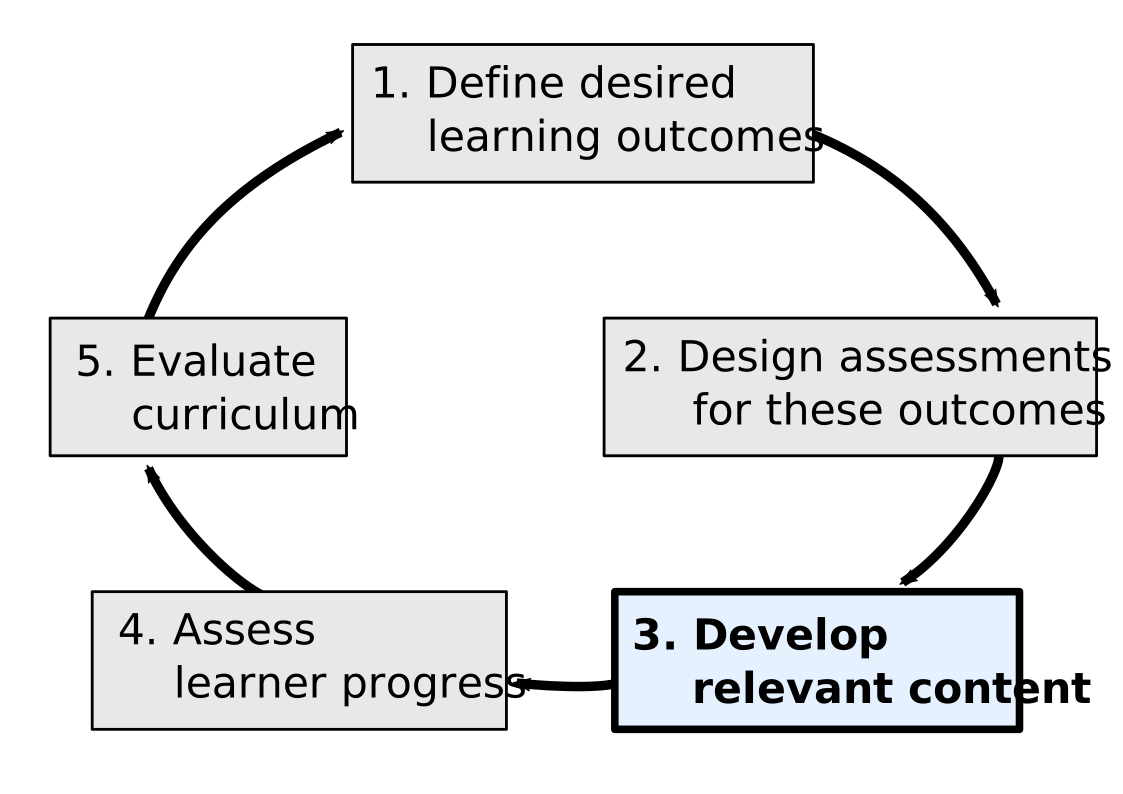
By now you should have developed objectives, exercises/formative assessments, and examples for your lesson. In order to prepare to teach it (for the first time in particular) you’ll need to create a teaching plan.
Teaching Plan
A teaching plan outlines the structure of your teaching session, including details, estimated duration and materials needed to deliver it. For example, a teaching plan may contain the following:
- welcome, introductions and motivation for the lesson - to introduce yourself, aims and objectives of the lesson and how it will help learners
- setup - to check if everyone is ready to proceed with the lesson
- the actual course content, whether in slide, lecture, or live coding form as appropriate
- assessments and checkpoints - places where you have planned to stop to check-in with learners
Checkpoints in a Teaching Plan
Checkpoints are especially useful at the beginning of a lesson when you may not have as many exercises but the learners need to have the data downloaded or tool opened to be able to follow along. A checkpoint could include stopping to ask what questions learners have or having them indicate if they have completed the most recent step shown by the instructor.
Perspective on Preparing a Teaching Plan
“I usually create detailed notes organised in a concept map/workflow in order to make everything consistent. I also write next to each bit of teaching the time approximately needed. For each lesson I create (and reuse when I teach again the same lesson) very detailed notes of what happens during the lesson, including teaching goals and learning objectives I mean to achieve with each bit of lesson. This rich lesson plan requires a lot of work the first time I teach a lesson, but reduces a lot the preparation time of future lessons and are super useful to other teachers.”
- Dr. Allegra Via, Carpentries Instructor and Instructor Trainer
Exercise: Prepare a teaching plan (15 minutes)
Create a bullet point list or brief notes describing: - the schedule for your lesson with associated timing - what you will say and do when teaching
Components to Include in a Teaching Plan (in Addition to Content and Assessments)
Introduction
This is your first impression with your group! Try to create a warm and safe environment from the beginning. Introduce yourself (& everyone assisting you), including where you’re from and what your goals are for the course.
Spend time clearly explaining the logistics and schedule of the course, as well as the norms and code of conduct expected in the space. All of this information should be easily available to learners in a email or website.
If time allows, let the participants introduce themselves! If they weren’t peers before, they are now.
State who the class is for, learning outcomes, and expected prerequisites. Check that these meet everyone’s expectations: “If this doesn’t describe you, put a red sticky up and someone will come check in”
Tech Setup
If your lesson requires participants to use any software, tools or data - it is worthwhile investing time now into creating clear download, installation and setup instructions for participants to follow and circulating them ahead of the workshop. This will give you more time for teaching the lesson as troubleshooting setup problems on the spot can be time-consuming and stressful.
We recommend that you provide learners with these resources well in advance of the lesson, remind them repeatedly, and give time and resources for troubleshooting assistance before the course starts to minimize disruptions.
Course Content
After all of your work designing objectives and assessments, you must finally create the content of the lesson itself.
Live Coding
If, like most Carpentries courses, you are teaching a skill that involves coding, we strongly recommend the live coding approach to teaching. In this framework, rather than focusing on slides or lectures, participants learn by actively coding along with you, and then practicing on their own during assessments. We also recommend that you create a course website, both to act as a guide for you to follow and so the participants can follow along. (This website also serves as an accessible resource for those who cannot attend a workshop but want to learn on their own.) More information about how to create these websites can be found at the Carpentries Lesson Development Training.
Slides
Whether you are live coding or not, often you will need to present more theoretical concepts, or introduce an analogy or mental model in a way that a programming IDE cannot accommodate. In these cases, it is helpful to construct an engaging slide deck to convey this information. Simply copy-pasting from the course website is not recommended– try to find a narrative and visual structure better suited to a slide-based communication format.
Whiteboard/Chalkboard
For mathematics and physics classes especially, it is very useful to be able to write on a board– but we also recommend that you have this tool available whenever possible. (A portable tripod with a writing pad on it is a good substitute). There are often moments where it adds value to write live as a visual tool. And if you’re in a situation where the power is liable to go out, you’ll want a backup way to continue with the lesson.
Exercise: Select Content Types (15 minutes)
For each section in your lesson, select which content type is best suited to that material. You can use this as a blueprint as you build out your curriculum.
- Spending time on preparing your teaching and feedback collection will make you and your participants get the most out of your workshop pilot.
- Creating clear setup instructions as part of your lesson and circulating them ahead of the pilot is time well-invested and will give you more time when teaching the lesson.
- Most Carpentries-style trainings will focus on Live Coding for content, but slides, whiteboards, and other content types are also helpful additions.